Tessera app icon

Your cards, in Apple Wallet

Point your camera at a membership, loyalty or club card. Tessera reads it on your device, you confirm the details, and it becomes a real Wallet pass — with a barcode that scans like the original.

Coming to the App Store See how it works

iPhone · Free for your first three cards · No account

12
barcode formats read
18
brands recognised
4
kinds of pass
0
photos uploaded

How it works

Camera, confirm, done

The whole thing takes about as long as finding the card in your wallet would have.

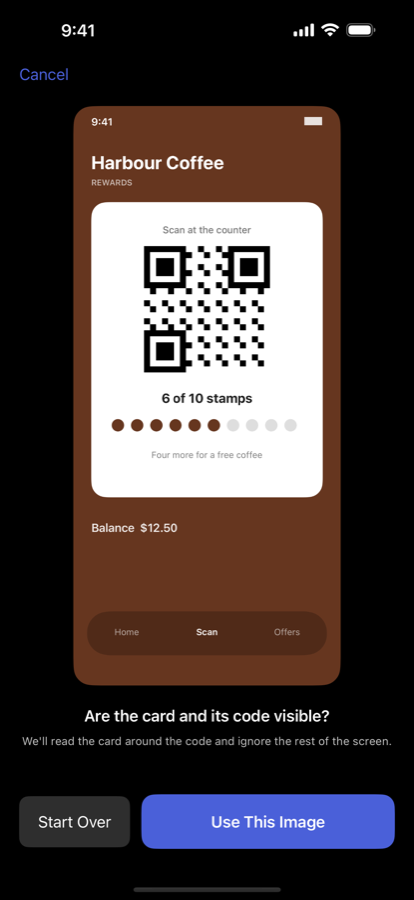
Point the camera

Name, number and expiry are recognised on your iPhone with Apple's Vision framework. The photo is discarded straight after.

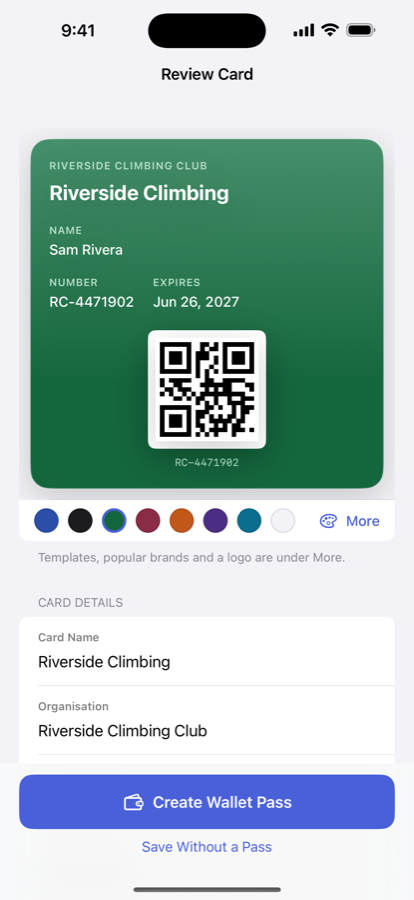
Check what it read

Everything lands on a review screen first, so a misread digit is a tap to fix rather than a pass that won't scan.

Add to Wallet

It becomes a proper Apple Wallet pass, in your card's own colours, ready at the till.

Cards it handles

The ones cluttering your actual wallet

Supermarket loyalty · the one you never have
Gym membership
Library card
Coffee stamp cards
Club & society
Season tickets
Coupons & offers

What makes it work

The details that decide whether it scans

👁️

Reads the card, not just the barcode

Name, number and expiry recognised on device, then shown to you to correct before anything is created.

📶

Barcodes that really scan

Wallet can draw four formats. The eight it can't — EAN-13, Code 39 and the rest — are drawn faithfully onto the pass instead.

🎨

Looks like your card

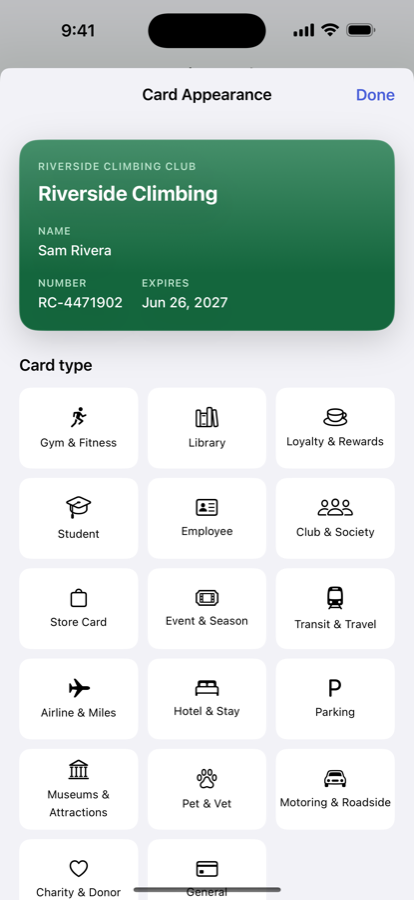
The pass takes your card's own colours from the photo. Templates recognise the kind of card, 18 brands get their own palette, and you can add a logo.

Reminded before it lapses

A month before, a week before, and on the day a card expires — set up by reading your card, not by you.

👨‍👩‍👧

Share a household card

One library or leisure card, both of you carrying it. Off by default, because a pass that forwards from the lock screen is a surprise.

☁️

Backed up, if you want

Optional iCloud backup through your own account, so a new phone doesn't mean scanning everything again.
Inside the app

From a photo to a pass

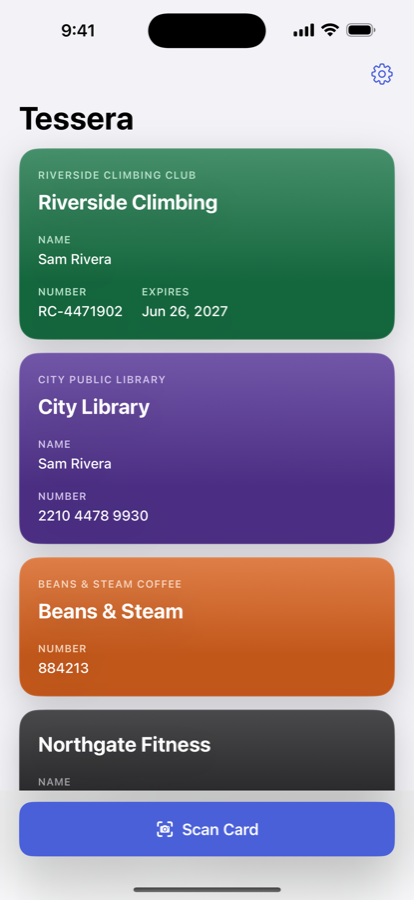
Tessera's home screen with several scanned cards
Every card you've added
Importing a card
Point the camera
The review screen showing recognised details
Check what it read
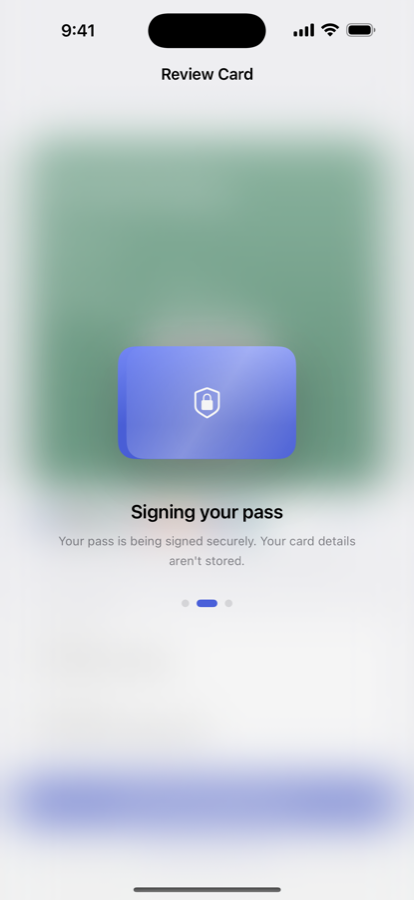
The pass being created
Becoming a Wallet pass
Adjusting the pass appearance
Your card's own colours
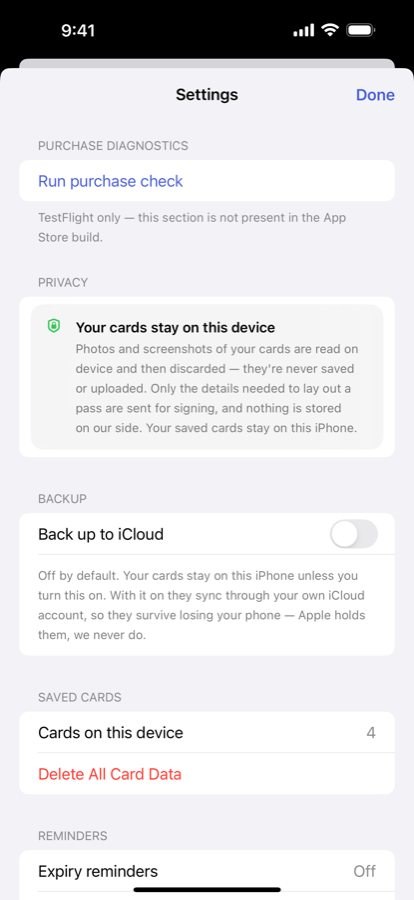
Settings, including iCloud backup
Backup and reminders

Pricing

Three cards free

Enough to find out whether it works for the cards you actually carry.

Free

Your first three cards

  • Three Wallet passes
  • On-device scanning
  • Expiry reminders
  • Every pass style and colour option
  • iCloud backup and household sharing
  • A banner ad at the bottom

Tessera Pro

For a wallet that's actually full

  • Everything in Free
  • As many cards as you like
  • No ads, anywhere
  • That's the entire difference

The photo never leaves your phone

Your card is read on your device and the photo is discarded — never saved, never uploaded. Only the details needed to lay out a pass are sent to be signed, and nothing is kept afterwards. No account required.

Tessera creates a personal digital copy of a card you already own. It is not an official credential and does not produce government identity documents. Some places will still ask for the physical card.

Nearly there

Tessera is built and waiting on App Review. When it lands, this button becomes the download.

Coming to the App Store