Earnings app icon

Know when your ads break

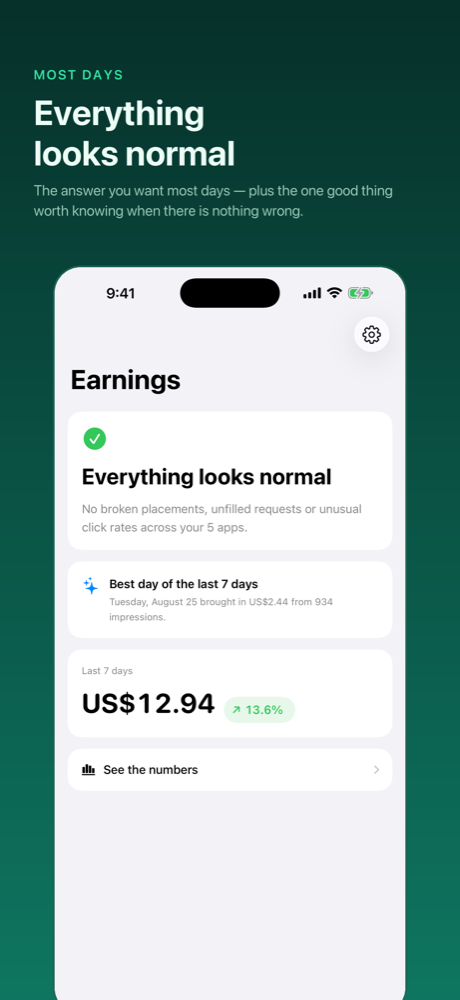
Earnings opens on a sentence, not a spreadsheet. “Everything looks normal” — or what isn't, and which app it's in. You find out from a notification, not by going looking.

Coming to the App Store What it watches for

iPhone · AdMob & AdSense · Read-only access, no server

2
ad networks
8
metrics tracked
6
time periods
0
servers involved

What it watches for

The things a total hides

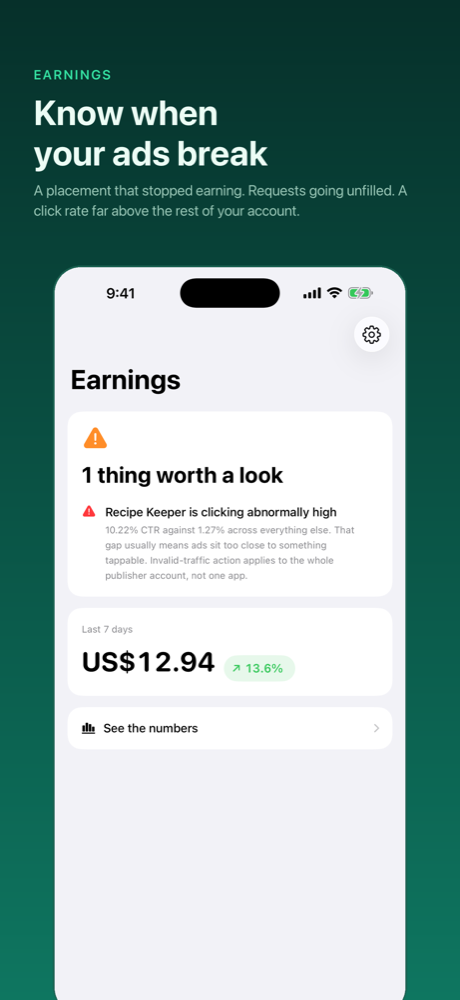
Your revenue can look fine while one placement quietly stops working. These are the three patterns worth interrupting you for.

Broken placement

Requests going out, nothing coming back

An ad unit that stopped showing ads entirely. It normally means a release broke the placement — and it's invisible in the total, because the unit simply earns little.

Barely filling

Requests that almost never get an ad

A very low match rate is usually a configuration problem rather than weak demand — and it's the kind that persists quietly for weeks.

Invalid traffic risk

An app clicking far above the rest

The signature of accidental clicks, usually an ad sitting too close to something tappable. Worth knowing early: enforcement lands on the whole publisher account, not one app.

Deliberately quiet

An alert you'll still trust in a month

Thresholds are conservative on purpose, the same finding won't repeat for hours, and only the most serious few are sent at once. An alert that cries wolf gets ignored, which is worse than not having one.

Conservative thresholds
No repeats within the cooldown
Two most serious per round
Context-only findings never notify

The numbers

When you do want to look

📅

Six periods, always compared

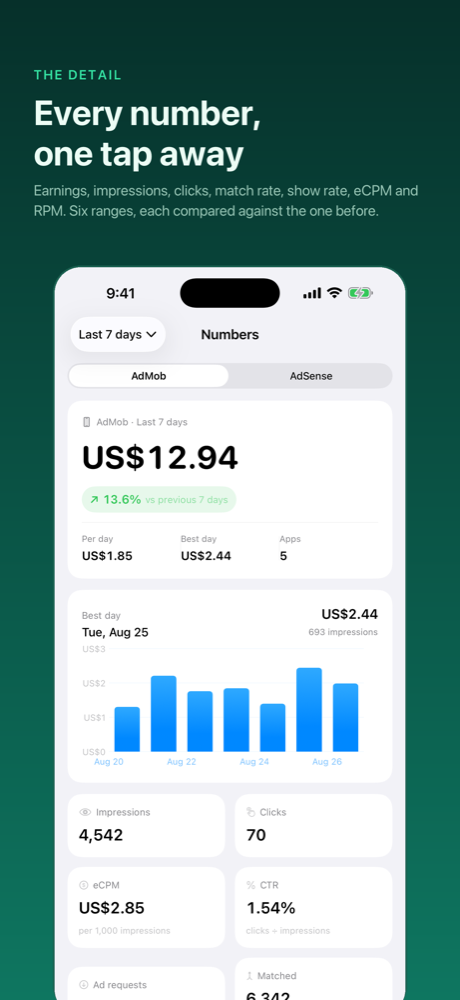
Today, yesterday, last 7 or 30 days, this month, last month — each against the period before it, so you see direction and not just a total.

🔍

Broken down three ways

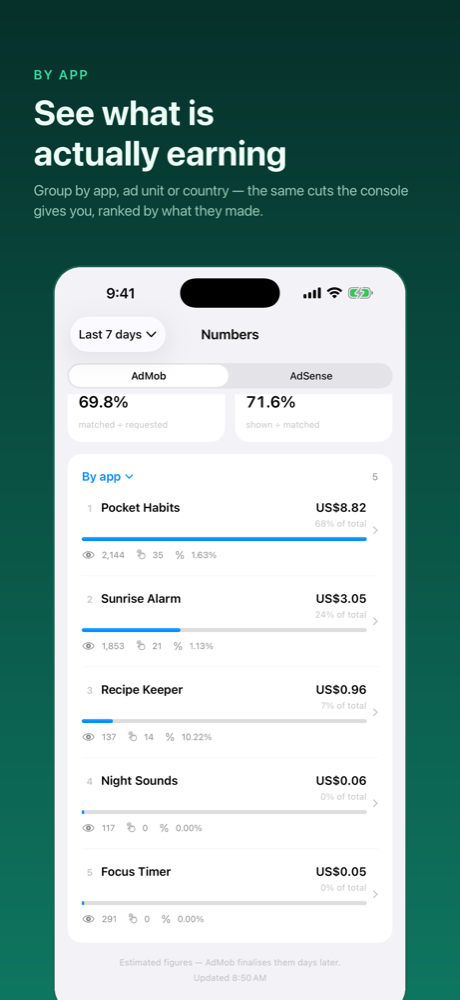
By app or site, by ad unit, or by country — so “revenue is down” becomes “revenue is down in one place”.

📊

The metrics that explain it

Earnings, impressions, clicks and requests, plus match rate, show rate, eCPM and RPM — the ones that say why a number moved.

📱

A widget in three sizes

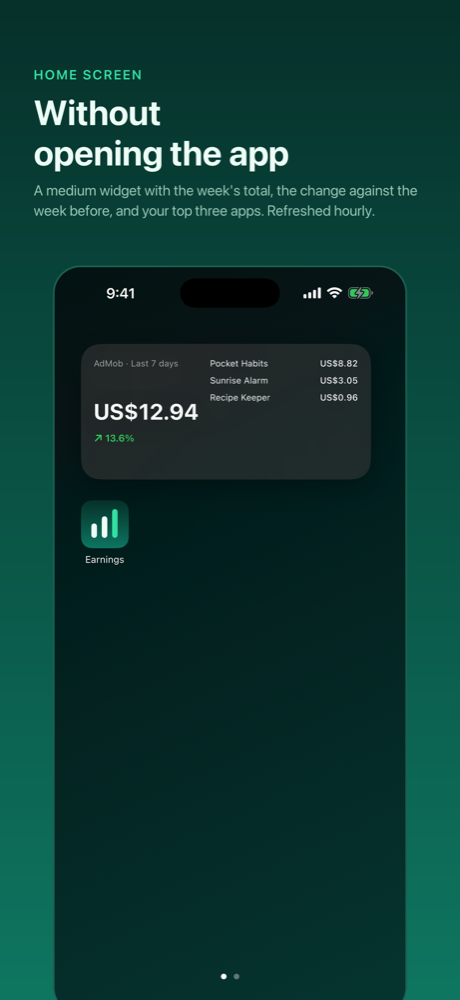
Including the lock screen. It refreshes on its own — and it's what makes an alert reach you without opening anything.

🔗

Both networks, one app

AdMob and AdSense side by side, in the same shapes, so you don't hold two mental models.

🔒

Read-only by construction

The access it asks for can read your reports and nothing else. It cannot change a setting, an ad unit, or a payment detail.
Inside the app

A sentence first, the numbers after

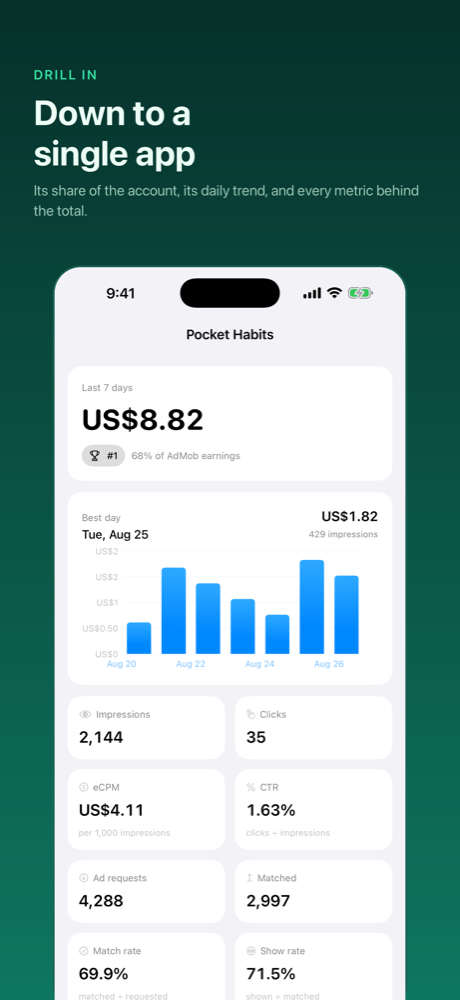
The home screen flagging one thing worth a look The home screen when everything looks normal Earnings figures compared against the previous period Revenue broken down by app Detail for a single app The Home Screen and lock screen widgets

Built small and private

There is no server. Your figures go from Google to your phone and nowhere else. Access is read-only — the scopes the app requests end in .readonly, so it can read your AdMob and AdSense reports and cannot change anything.

Nothing is uploaded, shared or sold. See the privacy policy.

Nearly there

Earnings is built and waiting on App Review. When it lands, this button becomes the download.

Coming to the App Store